Negative & Inverted Images
Theory
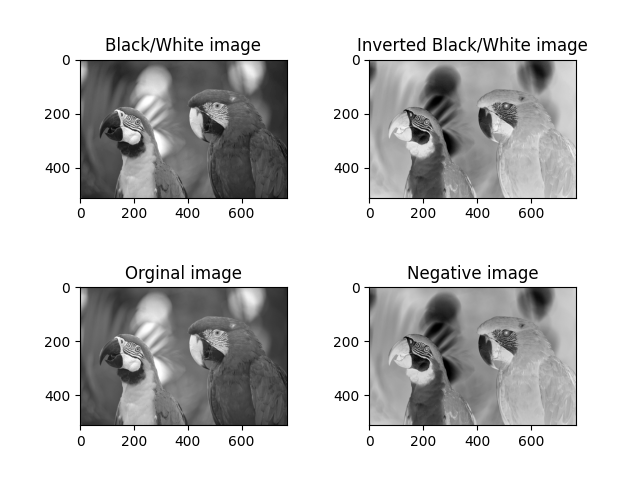
A negative image is created by inverting pixel intensities. This technique is widely used in image enhancement, medical imaging, and photography to highlight details not visible in the original image.
Key Points
- Grayscale Inversion:
inverted = 255 - gray_image. Enhances low-intensity details. - Color Negative:
negative = 255 - color_image. Produces a “film negative” effect while maintaining color relationships.
Python Code
import cv2
import numpy as np
import matplotlib.pyplot as plt

# Load image
image = cv2.imread('assets/barcode.jpeg')

# Convert to grayscale
bw_image = cv2.cvtColor(image, cv2.COLOR_BGR2GRAY)

# Invert grayscale
inverted_img = 255 - bw_image

# Negative (color inversion)
negative_img = 255 - image

# Display results
plt.subplot(2,2,1)
plt.imshow(bw_image, cmap='gray')
plt.title('Original B/W Image')

plt.subplot(2,2,2)
plt.imshow(inverted_img, cmap='gray')
plt.title('Inverted B/W Image')

plt.subplot(2,2,3)
plt.imshow(cv2.cvtColor(image, cv2.COLOR_BGR2RGB))
plt.title('Original Color Image')

plt.subplot(2,2,4)
plt.imshow(cv2.cvtColor(negative_img, cv2.COLOR_BGR2RGB))
plt.title('Negative Color Image')

plt.subplots_adjust(hspace=0.6, wspace=0.4)
plt.show()
Output